
Built for the people doing this work without a paycheck.
PTOs, PTAs, Parents Clubs, Home & School Associations — whatever your school calls it, the volunteer board running it has been told to "just use a Facebook group" or "just use the school's email" for far too long. Lumicura is the first app designed around the way parent organizations actually operate.
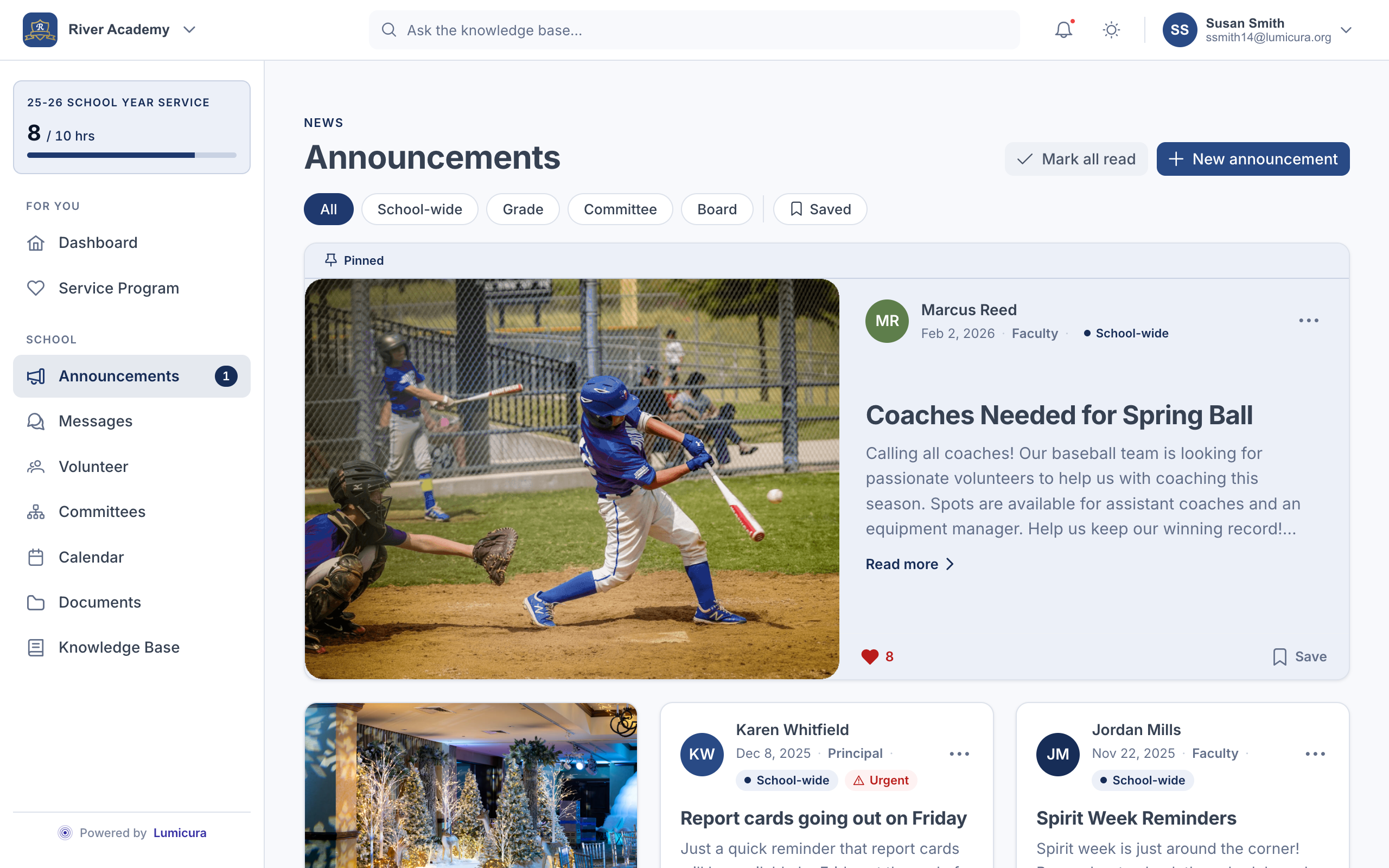
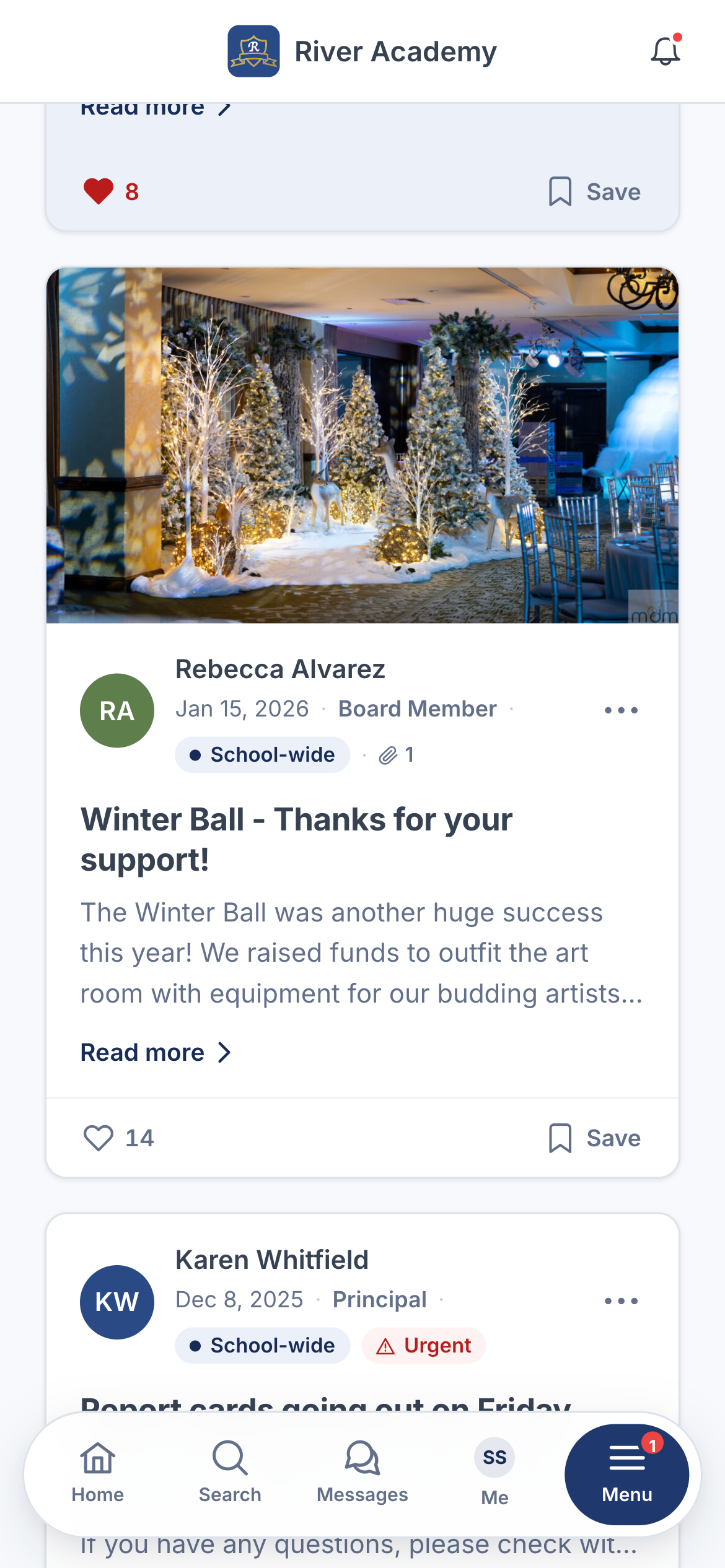
You're a volunteer. You have a day job. The last treasurer left you a 14-tab spreadsheet you can barely read. Lumicura is the first system built for the fact that everyone on your board is doing this in the margins of real life — and your team turns over every year.
- A clean handoff every May. Next year's president walks into a working app — not a graveyard of spreadsheets and forgotten passwords.
- Settle the year's hours in an afternoon, not a string of weekends. Every credit is traceable, and any mistake is reversible.
- One place to look up who said what, when. No more "I never got that email."
- The treasurer sees the money. The room parents see their class. The board sees the whole picture. Nobody has to share a master login.
You don't need another system to manage. You want fewer systems, less liability, and a parent organization you don't have to babysit. Lumicura is built so the parents — not your IT team — can run it day to day.
- Your staff stays in charge of official announcements. Snow days, lunch menus, and mass schedules go out from the people you've approved.
- No new identities to manage. Families sign in with their email, tied to your roster; Google Workspace and Microsoft 365 single sign-on is available on District / Diocese plans.
- FERPA-aligned data handling. Student records stay in your student information system — Lumicura only touches the family-directory information parents already share with each other.
- One vendor, one bill, one contract. The PTO pays the subscription. You sign the data agreement.
Whatever you're using now, we can help your school move off it.
Most parent organizations have a patchwork going — a group chat, an email list, a sign-up site, a spreadsheet, and a folder of paper forms. Here's what Lumicura replaces, and how the new setup is simpler.
Email blasts & a shared Google Drive
- You can't tell who actually read the snow-day notice
- The drive has 47 folders, three of them called "PTO 2024 OLD"
- Forms are PDFs that parents print, scan, and email back
- Every committee chair wants their own folder structure
- Staff and parent emails pile up in the same inbox
Announcements you can see, documents you can find
- You see who's opened each announcement and when
- Every document keeps its old versions — you always know what changed
- Forms become simple sign-ups that credit volunteer hours automatically
- Access is based on people's roles, not on who knows the folder link
- Staff and parents have separate channels, side by side
GroupMe, WhatsApp, or class-parent text chains
- Phone numbers bleed between school and personal life
- Parents who switch phones lose all the history
- New families have no way to catch up on two years of context
- Staff can't help moderate without joining the social group
- One late-night thread can derail an entire grade
Chats tied to the class — not to phone numbers
- You're in the chat because your kid's in the class. No phone numbers swapped.
- History sticks around. New families see what's relevant; alumni don't get spammed.
- Staff can step in to tidy a thread without being in the social loop.
- Quiet hours, easy mute, and a clear way to bring something to staff.
SignUpGenius + Konstella + a spreadsheet
- Three logins, three sets of alerts, three different sign-ins for parents
- Volunteer hours don't automatically land anywhere
- The treasurer is hand-copying rows between systems every May
- Buyouts and fundraising credits live in yet another tool
- Roster changes have to be entered into each tool by hand
Sign-ups, hours, and money — one running tally
- Parent signs up, scans in at the event, and the hour lands on their family's tally — automatically.
- Buyouts paid by credit card credit the same tally, with a clean record.
- Fundraising dollars convert to hours by whatever rule your bylaws set.
- Import your roster once; everything stays in sync from there.
The custom WordPress site a parent built in 2018
- Nobody on the current board knows how to edit it
- The plugins are years out of date and one is leaking spam
- It looks rough on a phone — and most parents are on a phone
- No phone alerts, no way to see who's reading, no record of what changed
- The hosting bill goes to a Hotmail address nobody can sign into anymore
A ready-to-run app the next board can take over
- Match the old site's look in about 20 minutes
- Install on every parent's phone, with phone alerts that work day one
- One-tap sign-in tied to your school's Google or Microsoft accounts
- A proper invoice, with the school's name on it, not a personal credit card
From signed up to launched in two weeks.
No drawn-out rollout and no IT project — three self-serve steps that fit between two PTO meetings.
Pick your school's colors
Sign up and choose a ready-made theme — Crimson, Navy, or Forest — or give us your school's color and logo and we'll build it to match.
Configure your modules
Switch on the tools your organization actually uses and leave the rest off. Set your commitment rules, spin up your committees, and rename anything to match your school's own words — "Points" becomes "Service Hours" everywhere. It's all toggles and plain-language settings.
Invite the families
Export from FACTS, RenWeb, PowerSchool, or just hand us a Google Sheet. Parents get a welcome email with a one-tap sign-in, and install Lumicura on their phone home screen — no app store, ready from their first sign-in.